
Gaming Laptops: How to Choose the Best One in 2026
Table of Contents
Introduction :
Gaming laptops have become a popular choice for people who want powerful gaming performance without being tied to a desktop computer. They combine a processor, graphics hardware, memory, storage, and a built-in display in a portable design, allowing users to play games, study, work, and enjoy entertainment on the same device.
However, choosing the right gaming laptop requires more than comparing prices or selecting a familiar brand. Graphics performance, processor capability, RAM, storage, display quality, cooling, battery life, and upgrade options all influence the overall experience.
This guide explains what gaming laptops are, which specifications matter most, how to compare different configurations, and what to consider before making a purchase.
What Is a Gaming Laptop?
A gaming laptop is a portable computer designed to run PC games that require substantial processing and graphics power. Many models include dedicated graphics processors, high-performance CPUs, fast memory, solid-state storage, and displays with high refresh rates.
Unlike standard laptops designed primarily for browsing, office work, and everyday tasks, gaming laptops are built to handle demanding workloads for extended periods. Their hardware can also be useful for video editing, graphic design, 3D rendering, programming, and livestreaming.
Gaming laptops are available in a variety of sizes and performance categories. Entry-level models can suit casual gaming and esports titles, while high-performance systems target demanding games, advanced graphics settings, and intensive creative applications.
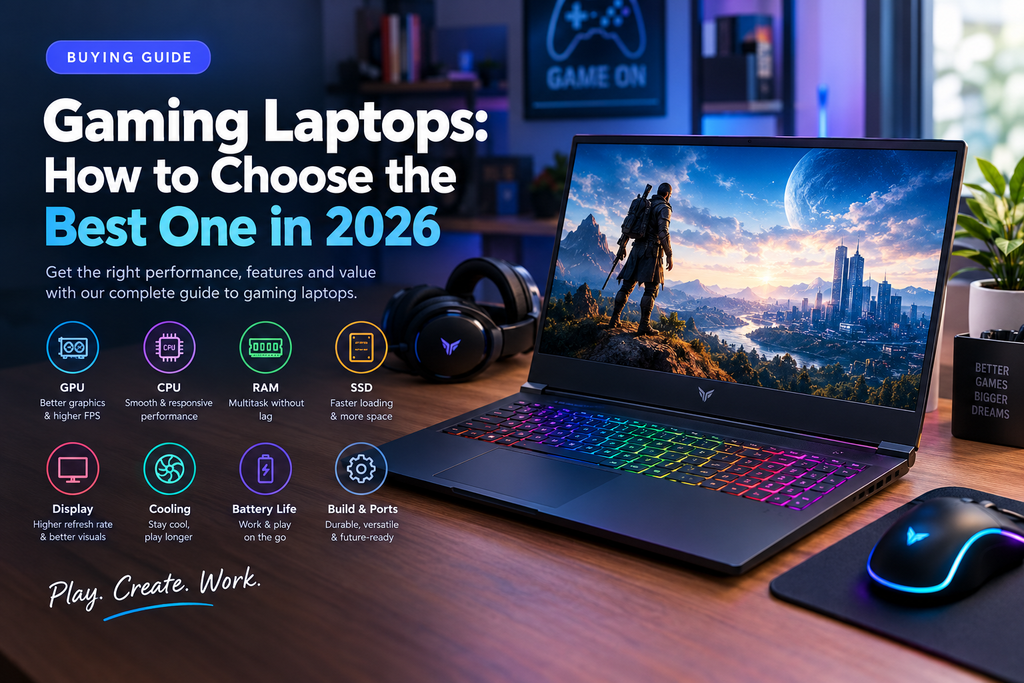
Key Features to Look for in Gaming Laptops
Understanding the major hardware components helps you choose a machine that matches your games, budget, and daily requirements.
1. Graphics Processing Unit (GPU)
The graphics processing unit, or GPU, is one of the most important components in a gaming laptop. It renders images, textures, lighting, and visual effects, making it a major factor in gaming performance.
A capable GPU can deliver higher frame rates and support more demanding graphics settings. Players interested in modern AAA games, ray tracing, or higher-resolution displays should pay particular attention to graphics performance and video memory.
However, the GPU’s name alone does not tell the whole story. Laptop graphics processors can operate at different power limits, and cooling designs can affect sustained performance. Compare independent benchmarks for the exact laptop configuration rather than relying exclusively on the advertised GPU model.
2. Central Processing Unit (CPU)
The CPU manages game logic, calculations, background applications, and many other system tasks. A suitable processor helps maintain consistent performance and works alongside the GPU to deliver a responsive gaming experience.
Modern gaming laptops offer processors from manufacturers such as Intel and AMD across different performance and efficiency categories.
Casual gamers may not need a top-tier processor, while users who stream games, edit videos, or play CPU-intensive titles may benefit from additional processing capacity. The best choice depends on the games you play and the other applications you run.
3. RAM and Multitasking
Random access memory, commonly called RAM, temporarily stores information that active applications need. Sufficient memory helps games run smoothly while allowing other programs to operate in the background.
For many gaming laptop buyers, 16GB of RAM is a sensible starting point. A 32GB configuration can offer more headroom for demanding games, streaming, content creation, and heavy multitasking.
Before buying, check whether the laptop’s memory is upgradeable or soldered to the motherboard. This can make a significant difference if you expect to increase capacity later.
4. SSD Storage Capacity
Storage affects how many games, applications, and personal files you can keep installed. Most modern gaming laptops use solid-state drives (SSDs), which provide fast loading and responsive system performance.
A 512GB SSD may suit users with a small game library, but a 1TB SSD provides more room for large games and additional applications. Users who install many games or work with large video files may prefer greater capacity.
Check whether the laptop supports a second SSD or a storage upgrade. This can help extend its usefulness without replacing the entire computer.
5. Display Resolution and Refresh Rate
The display influences both visual quality and responsiveness. Resolution determines image detail, while refresh rate indicates how many times the screen can update each second.
Full HD displays can provide a practical balance between image quality and performance. Higher-resolution screens can deliver sharper visuals, but they also require more graphics processing power.
A high-refresh-rate display, such as 144Hz or 165Hz, can make motion appear smoother, particularly in competitive games. However, the GPU must produce enough frames to take full advantage of that refresh rate.
Also consider brightness, color reproduction, viewing angles, screen size, and panel type. An OLED display may offer excellent contrast, while a quality IPS panel can provide a balanced option for gaming and general use.
6. Cooling System and Thermal Performance
Gaming places sustained demands on laptop hardware, which generates heat. An effective cooling system helps maintain performance by moving heat away from the processor and graphics hardware.
Look for reliable independent reviews that examine temperatures, fan noise, and sustained performance during extended gaming sessions. A laptop that performs well during a short benchmark may behave differently after prolonged use.
Keep the ventilation areas clear, use the laptop on a firm surface, and clean its air vents as recommended by the manufacturer. Good maintenance can help preserve cooling efficiency over time.
7. Keyboard, Ports, and Build Quality
A comfortable keyboard is important for both gaming and everyday typing. Features such as key travel, layout, backlighting, and dedicated controls can improve usability.
Check the available ports for your accessories. USB connections, HDMI, audio ports, and supported USB-C or display connections may be important if you plan to use an external monitor, gaming mouse, headset, controller, or external storage.
Build quality also matters. Consider hinge strength, chassis materials, portability, warranty coverage, and the manufacturer’s repair support before choosing a device.
Types of Gaming Laptops
Gaming laptops can be grouped into several broad categories according to their intended use.
Budget Gaming Laptops
Budget gaming laptops are designed for buyers who want a capable gaming experience without paying for premium hardware. They can be suitable for esports games, older titles, and selected modern games with adjusted graphics settings.
When comparing affordable models, prioritize a balanced CPU and GPU combination, sufficient RAM, SSD storage, and dependable cooling. Avoid paying extra for decorative features if doing so requires compromising on core performance.
Mid-Range Gaming Laptops
Mid-range gaming laptops often provide a useful balance of performance, display quality, and price. They may suit users who play a mixture of competitive multiplayer games and graphically demanding single-player titles.
These machines can also be practical for students and professionals who need one computer for gaming, productivity, and creative work. Compare the exact specifications and independent performance results before choosing between competing configurations.
High-Performance Gaming Laptops
High-performance gaming laptops target users who want powerful graphics, high frame rates, advanced visual effects, or demanding creative workloads.
They may offer stronger graphics processors, faster processors, larger memory configurations, premium displays, and more sophisticated cooling systems. However, these benefits often come with higher prices, increased weight, louder fans, and greater power consumption.
The most expensive model is not automatically the best purchase. Choose premium hardware when your games and applications can meaningfully benefit from it.
Thin and Portable Gaming Laptops
Portable gaming laptops emphasize a balance between gaming performance, weight, and everyday usability. They can be attractive to people who travel frequently or carry their computers between home, school, and work.
Compact designs may involve compromises in cooling capacity, sustained performance, ports, or upgradeability. Compare independent reviews and the laptop’s actual dimensions and weight before deciding.
How to Choose the Best Gaming Laptop for Your Needs
The best gaming laptop depends on what you play, how you use your computer, and how much you can comfortably spend.
Identify Your Gaming Requirements
Start by listing your preferred games. Competitive games may benefit from high frame rates and responsive displays, while visually demanding titles may require a more powerful GPU and sufficient video memory.
Check the official system requirements for the games you want to play. Then compare those requirements with independent benchmarks for the laptop configurations under consideration.
Set a Realistic Budget
Decide how much you want to spend before comparing products. Include any additional costs for accessories, extended warranty coverage, storage upgrades, or a cooling stand if needed.
A sensible budget prioritizes the hardware and features that improve your actual experience rather than cosmetic extras that have little effect on performance.
Compare Complete Configurations
Do not compare laptops using only their processor or graphics card names. Consider GPU power limits, CPU performance, memory capacity, storage, display resolution, cooling, and overall build quality.
Two laptops with similar advertised specifications may produce different results because of their power settings and thermal designs.
Consider Portability and Battery Life
Gaming laptops can perform well for everyday tasks, but their battery life varies by model, settings, workload, and battery capacity.
If you frequently work away from a power outlet, investigate independent battery tests and the laptop’s weight. Remember that demanding games generally perform best when the laptop is connected to its appropriate power adapter.
Check Upgrade Options and Warranty
Many gaming laptops allow some storage or memory upgrades, but this varies by model. Other components may be soldered or otherwise difficult to replace.
Read the manufacturer’s specifications and warranty terms before buying. A device with a practical upgrade path and accessible support may offer better long-term value than a slightly faster model with limited flexibility.
Gaming Laptop vs. Gaming Desktop: Which Is Better?
Gaming laptops and gaming desktops serve different priorities.
A gaming laptop combines the computer and display in one portable system. It is convenient for travel, shared living spaces, and people who need a single device for multiple environments.
A gaming desktop generally offers greater flexibility for component upgrades, and desktop hardware often provides stronger performance for a comparable hardware budget. Desktops also tend to offer more room for cooling, although their actual performance depends on the components and design.
Choose a gaming laptop if portability and an integrated setup are important. Consider a desktop if maximum performance per unit of spending, extensive upgrades, and long gaming sessions at a fixed desk are your main priorities.
Common Gaming Laptop Buying Mistakes
Avoiding a few common mistakes can help you get better value for your money.
- Choosing by brand alone: Compare the exact configuration, independent tests, warranty, and support rather than relying only on reputation.
- Ignoring GPU power limits: A graphics processor’s advertised name does not guarantee identical performance across laptops.
- Buying too little RAM: Consider the requirements of your games and whether you multitask or stream.
- Underestimating storage needs: Large game libraries can quickly fill a small SSD.
- Overlooking cooling and fan noise: Read reviews that examine sustained performance and temperatures.
- Expecting long battery life during gaming: Demanding games usually consume considerably more power than everyday tasks.
- Ignoring upgradeability: Check which components can actually be replaced or expanded.
- Paying for unnecessary features: Spend more only when the display, graphics, performance, or build quality justifies the extra cost.
How to Maintain a Gaming Laptop
Proper maintenance can help your gaming laptop remain reliable over time.
Keep the ventilation openings free of dust, use the laptop on a stable surface, and follow the manufacturer’s cleaning instructions. Install operating system updates, appropriate graphics drivers, and security updates from trusted sources.
Monitor temperatures and performance if you notice unusual slowdowns or fan noise. Avoid blocking air intakes with bedding or soft surfaces, and use the recommended power adapter.
You should also back up important files, keep sufficient free storage space, and review battery-care guidance from the manufacturer. If the device develops persistent overheating, battery swelling, or unexpected shutdowns, seek qualified service rather than attempting risky repairs.
Are Gaming Laptops Worth Buying?
Gaming laptops can be worth buying for people who value portability, gaming performance, and the ability to use one computer for entertainment, education, and work.
They are particularly practical for students, frequent travelers, esports players, and creators who need powerful hardware in a compact form. However, they may cost more than a desktop with comparable gaming performance and can involve trade-offs in noise, heat, battery life, and upgradeability.
The right purchase is not necessarily the most expensive or powerful machine. It is the laptop that meets your performance requirements, fits your budget, and supports your daily routine.
Frequently Asked Questions About Gaming Laptops
What is the most important specification in a gaming laptop?
The GPU is often the first specification to evaluate for gaming performance, especially in graphics-intensive titles. However, CPU performance, cooling, GPU power limits, memory, and display resolution also influence the final result.
How much RAM is enough for gaming?
For many current gaming setups, 16GB is a reasonable starting point. A 32GB configuration can be useful for demanding games, multitasking, streaming, and creative applications. Check the requirements of your preferred games and software.
Are gaming laptops suitable for work and study?
Yes. Their processors, memory, and graphics hardware can support productivity, programming, editing, design, and other demanding applications. Consider portability, battery life, keyboard comfort, and display quality if you will use the laptop throughout the day.
Can gaming laptops run games without being plugged in?
Many can run games on battery power, but performance and battery life are generally reduced compared with gaming while connected to the recommended adapter. Results depend on the model, game, power settings, and battery condition.
How long does a gaming laptop last?
There is no universal lifespan. Durability depends on build quality, maintenance, workload, battery health, and changing game requirements. A well-maintained laptop may remain useful for years, although it may eventually need lower graphics settings to run newer games comfortably.
Should I buy a gaming laptop or a regular laptop?
Choose a gaming laptop if you need dedicated graphics performance for demanding games or graphics-intensive work. A regular laptop may be a better option if you mainly browse the web, attend classes, write documents, and prioritize low weight, quiet operation, or battery life.
Conclusion
Gaming laptops offer a flexible way to enjoy PC gaming while keeping a computer available for work, education, and entertainment. Choosing the right model means understanding how its GPU, CPU, RAM, SSD, display, and cooling system work together.
Before purchasing, identify your preferred games, establish a budget, compare independent performance tests, and examine warranty and upgrade options. A well-matched configuration can deliver a more satisfying gaming experience and better long-term value than a laptop chosen solely for its brand or headline specifications.
Explore more article for guide you